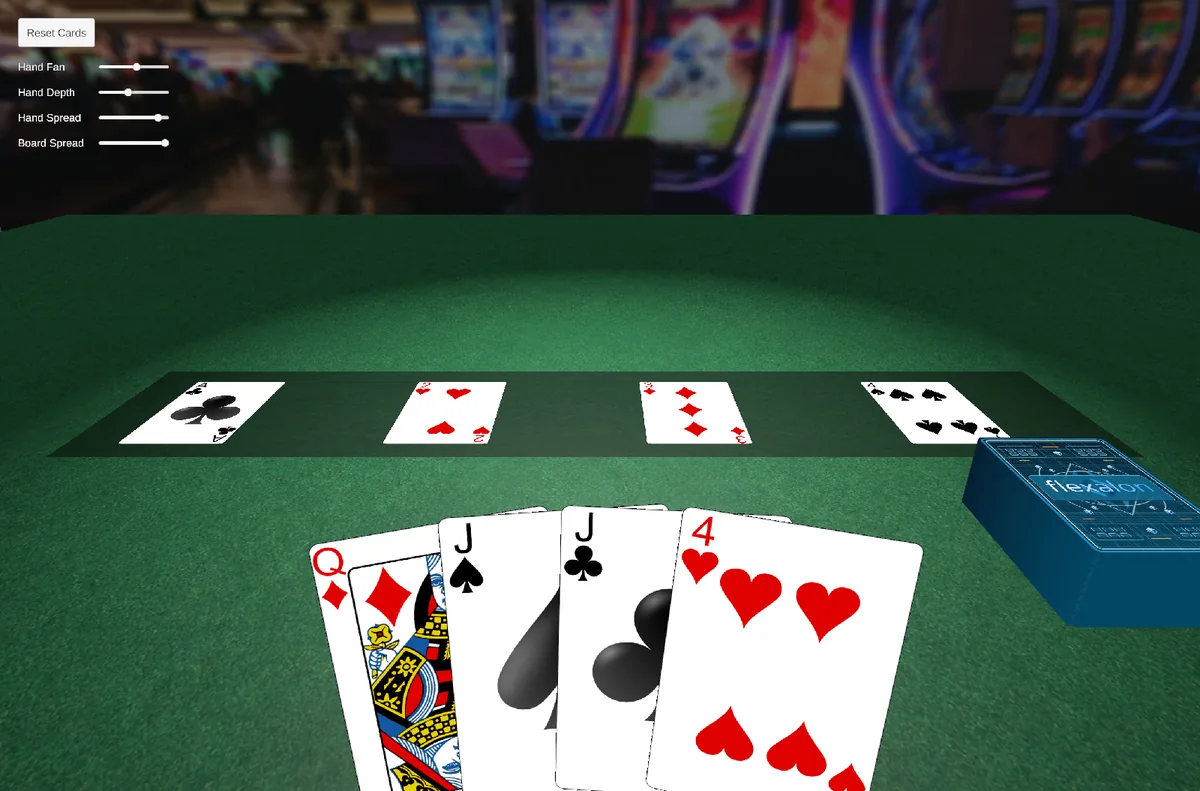
A Card Layout fans out a hand of cards, like you'd hold in a card game, or spreads overlapping cards across a table. To get started, add Flexalon Card Layout to an empty GameObject and add your cards as its children.
Choose a mode
Hand holds the cards upright, fanned out as if held in a hand. Table lays the cards flat, overlapping each other like a row of cards on a table. In both modes, the front of each card should face its local -Z axis, the same direction as a Unity Quad.
Options
| Option | Behavior |
|---|---|
| Facing | Show the Front or Back without reversing the stacking order. |
| Direction | Spread cards in the layout plane. X points right; Y points up in Hand mode and forward in Table mode. |
| Spread | Distance between the first and last card centers. |
| Curve | Bend the arrangement in its plane. Change the sign to bend in the opposite direction. |
| Depth Curve | Add a separate bow in depth. |
| Horizontal Grip | In Hand mode, grip the left edge at -1, center at 0, or right edge at 1. Table mode ignores this option. |
| Card Width / Depth | Use each child's size or a fixed value for overlap and grip calculations. Fixed values do not resize the card artwork. |
Example: a playable hand
Choose Hand mode, start with Direction pointing right, then adjust Spread and Curve until the cards form a readable fan. Give the cards a small depth to separate overlaps. Add a Lerp or Curve Animator to each card to animate changes as cards enter or leave the hand.
For selectable or draggable cards, add Flexalon Interactable and configure interaction separately from the layout.